Discover the Latest Technology in Crane Safety: Job Site Monitoring
From the Cab to the Whole Site
On-board devices like load moment indicators protect a single lift. Crane monitoring technology zooms out. It gives supervisors, safety managers and equipment owners information about how cranes are being used across a site, a project or an entire fleet.
This post covers site-level and fleet-level tools. If you want a refresher on the devices built into the crane itself, start with our post on crane safety devices and operator aids. For maintenance-focused technology such as condition monitoring, see crane predictive maintenance.
Telematics: Data From Every Machine
Telematics systems collect data from the crane's computer and sensors and send it to a web dashboard. Depending on the manufacturer and system, data may include:
- Location and hours of operation
- Engine and hydraulic fault codes
- Load moment indicator events, such as overload warnings or lockouts
- Configuration information entered by the operator
- Fuel use and idle time
How telematics supports safety
Patterns in the data can point to problems. Repeated overload warnings on one machine may signal a lift planning issue. A fault code can prompt a mechanic visit before a component fails. Some fleets use event logs to guide coaching conversations with operators.
Using data fairly
Telematics works best when operators know what is collected and why. Treat alerts as learning opportunities, not just discipline triggers, so people keep reporting problems openly.
Anti-Collision and Zoning Systems
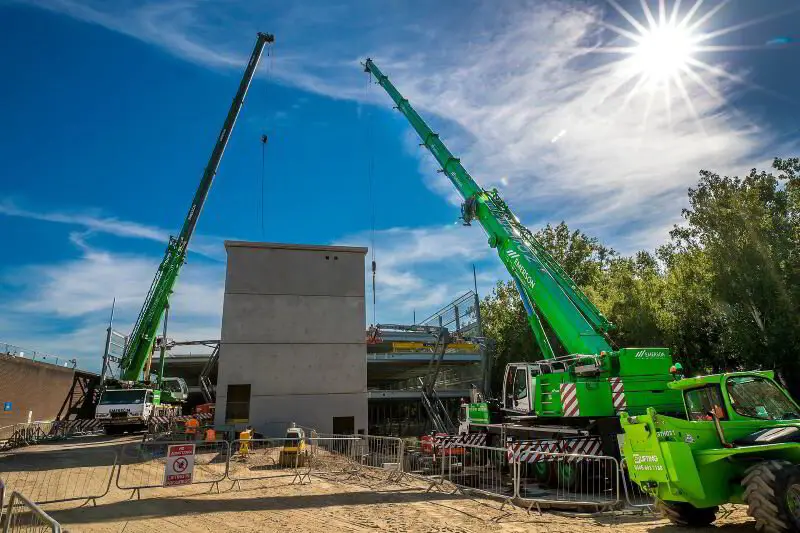
When two or more tower cranes have overlapping working areas, the risk of jib, counterjib or load collisions rises. Anti-collision systems share position data between cranes and warn operators, or slow and stop motions, as they approach each other.
Zoning features add virtual no-go areas, such as over a school, a public street or a neighboring building. Mobile cranes can use similar work area limits set in the cab.
These systems need careful setup by trained technicians, and the site's lift planning still has to define who has priority in shared airspace.
Cameras and Remote Viewing
Fixed site cameras and crane-mounted cameras give supervisors and lift directors a second set of eyes. They can help with:
- Watching blind picks from the ground
- Reviewing a near-miss to understand what happened
- Monitoring site access after hours
Cameras do not replace a qualified signalperson or a clear line of communication between the operator and the person directing the load.
Site Weather Stations and Alerts
A crane-mounted anemometer tells the operator what is happening at the boom tip. A site weather station adds wider coverage, and connected systems can text alerts to supervisors when wind or lightning thresholds are reached.
The value comes from tying alerts to pre-agreed actions in the lift plan, such as landing loads at one wind speed and securing the crane at another, based on the manufacturer's limits.
Proximity Warning for People
Some sites use wearable tags or camera-based detection that warns the operator, the worker or both when someone enters a danger zone around the crane or under the load. These systems can help on congested sites, but barricades, controlled access and a clear swing radius remain the first line of defense.
Digital Inspections and Records
Paper checklists get lost or completed at the end of the shift from memory. Digital inspection apps can:
- Require each item on the shift inspection to be checked before the form can be submitted
- Attach photos of defects
- Notify a supervisor or mechanic automatically when something fails
- Keep certification and training records in one place
Good records make it easier to show compliance with OSHA's inspection requirements and to spot recurring issues. They also support third-party crane inspection services by giving inspectors a clear history.
Protecting the Data
Connected equipment brings cybersecurity questions. Before adopting new systems, ask vendors:
- Who owns the data and who can see it?
- How is access controlled, and is multi-factor login available?
- How are software updates delivered and tested?
- What happens to safety functions if connectivity is lost?
A monitoring system should never be able to override on-board safety devices remotely without clear controls.
Which Tools Fit Which Operations
Not every company needs every system. A rough guide:
Small fleets and single-crane jobs
Digital inspection checklists and a reliable handheld or crane-mounted wind meter usually deliver the most value for the least effort. Basic telematics from the manufacturer may already be included with newer machines.
Rental and multi-site fleets
Telematics becomes more useful as the number of machines grows. Fault alerts and hour tracking help schedule maintenance, and overload event logs can show where operators or customers need support.
Congested urban sites
Anti-collision and zoning systems, site cameras and proximity warning tools address the specific risks of several cranes, tight footprints and the public close by.
Industrial plants
Facilities with overhead cranes and frequent repetitive lifts often focus on digital inspection records and condition monitoring for hoists and runways.
Whatever the setting, match each tool to a specific risk on your site. Technology bought without a clear purpose tends to end up ignored.
Getting Started Without Overload
New tools work best when introduced deliberately:
- Start with the problem you want to solve, such as inspection paperwork or multi-crane coordination.
- Pilot one system on one project.
- Train operators and supervisors on what the system does and does not do.
- Review results and adjust procedures before expanding.
Supervisors who manage these programs benefit from a solid grounding in crane safety responsibilities. The Managing Crane Safety Class covers planning, inspections and compliance for management personnel. Contact The Crane School to schedule training for your team.
FAQ
What is crane telematics?
Telematics is a system that collects operating data from a crane, such as location, hours, fault codes and load moment events, and sends it to an online dashboard for owners and supervisors.
Do tower cranes need anti-collision systems?
Requirements vary by project and jurisdiction. Where cranes have overlapping working areas, anti-collision and zoning systems are a common way to manage the risk alongside careful planning.
Can cameras replace a signalperson?
No. Cameras improve visibility, but when the operator cannot see the load or its path, OSHA rules call for a qualified signalperson or other approved communication method.